Products
One suite. Seven products. Built for housing.
GRANOS is a housing ERP with an AI layer on top. Every product runs on the same foundation – identity, tenancy, policy – and every action GRANOS Computer takes is approved, scoped and audited.
How it fits together
GRANOS Computer on top. ERP at the core. Foundation underneath.
GRANOS Computer talks to the suite through Link (MCP) and only sees the tools your administrators approve. The ERP stays the single source of truth; Mobile, the order portal, the invoice flow and the DMS extend it to the field, to tradespeople and to the finance team.
The GRANOS ecosystem
GRANOS ERP at the centre. Everything else from one hand.
A housing ERP at the core, plus apps, portals and add-on applications that work on the same data – developed, introduced and supported from one hand. No isolated tools, no interfaces between unrelated vendors, one contact.
One data foundation
Inspections, tenant portal, tradespeople coupling, invoice routing and DMS work directly on GRANOS ERP data – no double entry.
One vendor, one contact
Software, implementation, migration and support from one hand. Whoever changes something knows the whole system.
AI optional, secured in the EU
GRANOS Computer is an offer, not a requirement. If you use AI, you use it with approvals, an audit log and processing in the EU.
The core
The ERP everything builds on.
- Housing ERP
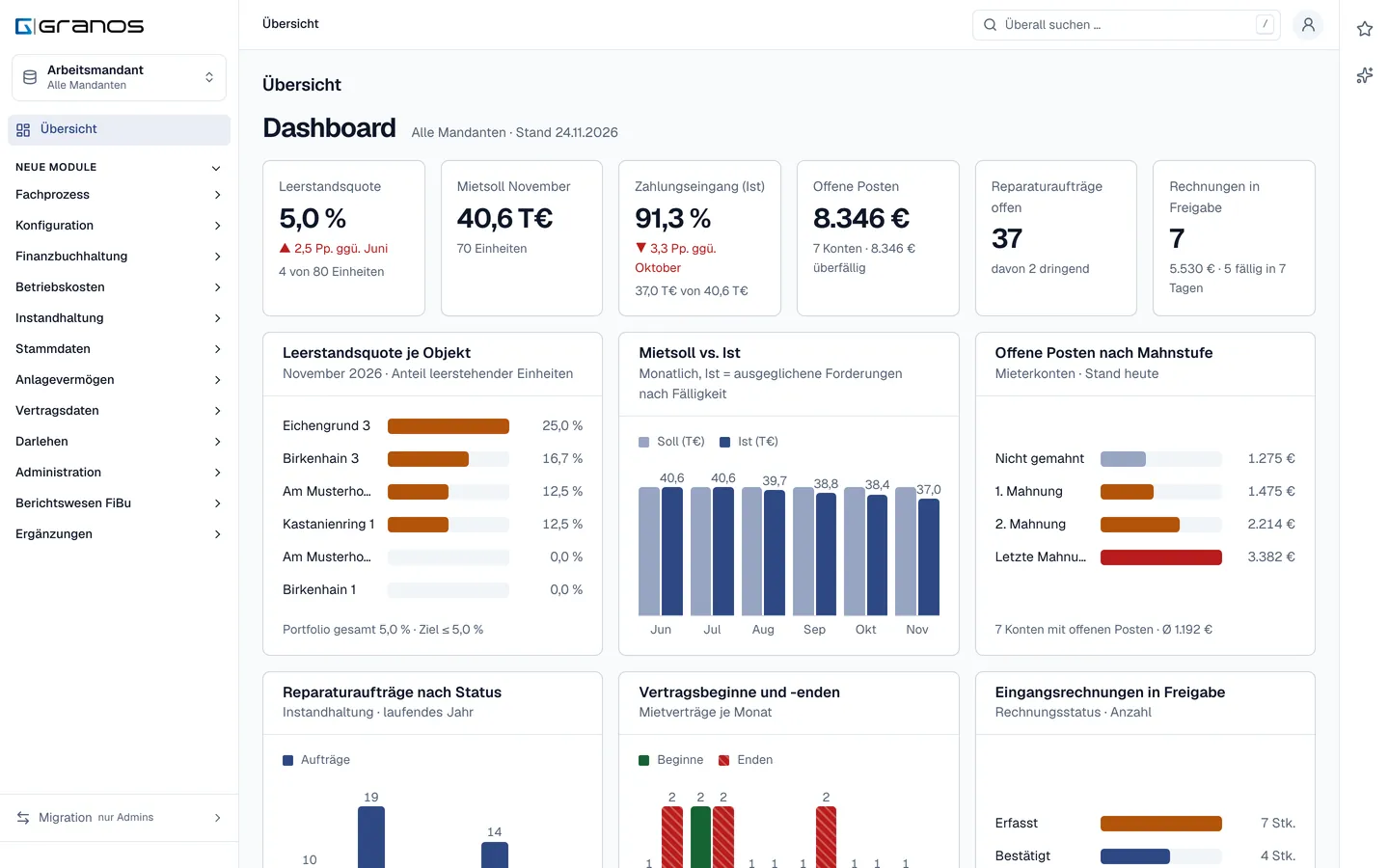
Shows the GRANOS ERP overview. It matters because every app and portal draws its data from this one database. Demo data. GRANOS ERP
Portfolio, tenants and contracts, rents, service charges, financial accounting, loans, maintenance and construction – with modules for cooperatives and condominium management.
- One database for all companies
- Source for every app and portal
- In the cloud or in-house

Apps and portals
For field staff, tenants, tradespeople and accounting – directly on the ERP.
- Inspections & safety dutiesAvailable
GRANOS Abnahme
The field app: unit acceptance, unit handover, vacancy checks and statutory safety inspections in one application – with photos, on-site signature and an audit-proof PDF/A protocol.
- Pre-inspection, move-out acceptance and move-in handover with meter readings and keys
- Vacancy checks and damage reports with photos
- Statutory safety duties: plan, carry out and evidence inspections
- Defect chain into GRANOS ERP: defect, repair report, order, recharge
- PDF/A protocols with signatures, filed in GRANOS DMS
- Responsive web app for phone, tablet and PC – keeps working without a network
Safety-inspection proposals imported from the ERP are always confirmed by the property manager – nothing is overwritten automatically.
- Online communication with tenantsAvailable
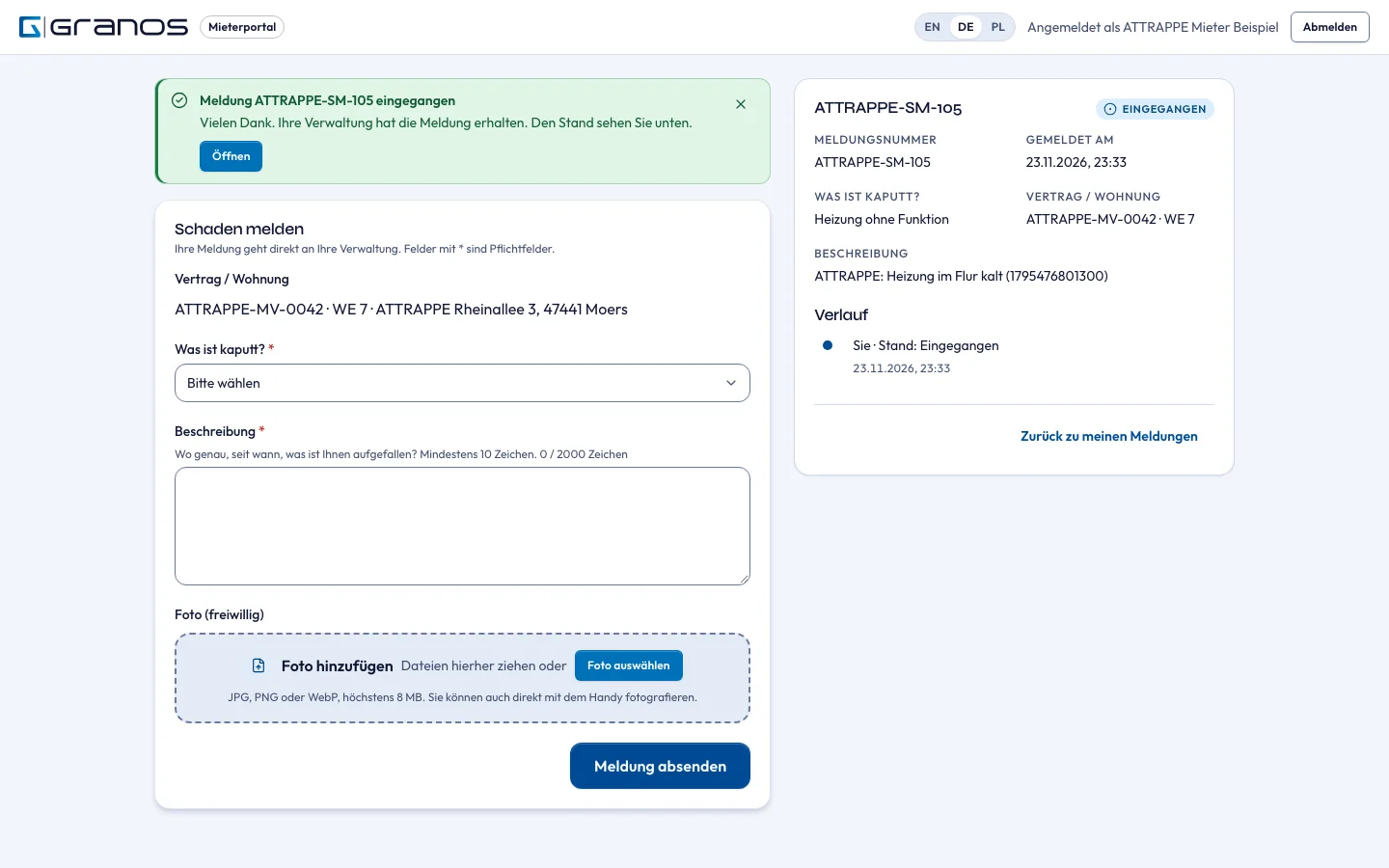
Shows a received damage report in the tenant portal with status and history. It matters because tenants always see what is happening with their report without having to ask. Test data. GRANOS Mieterportal
Tenants have round-the-clock access to their account, contract information, statements and digital invoices, report damage with a photo and follow the status – contract data always comes current from GRANOS ERP.
- Account and all key contract information
- Service charge statement as PDF and digital invoices
- House rules, documents and consumption information
- Damage and complaint reports with photo, status and history
- Messages from the property manager and online communication with workflow
- In German, English and Polish; installable as an app
The portal holds no data of its own: GRANOS ERP alone checks access.
- Order portal for tradespeopleAvailable
Handwerkerkopplung
Housing companies, tradespeople and service providers handle orders online – from award to invoice, booked in the ERP.
- Accept or decline per order line
- Automatic invoice numbers
- Factual and accounting check, four eyes
- Electronic mail and invoice routingAvailable
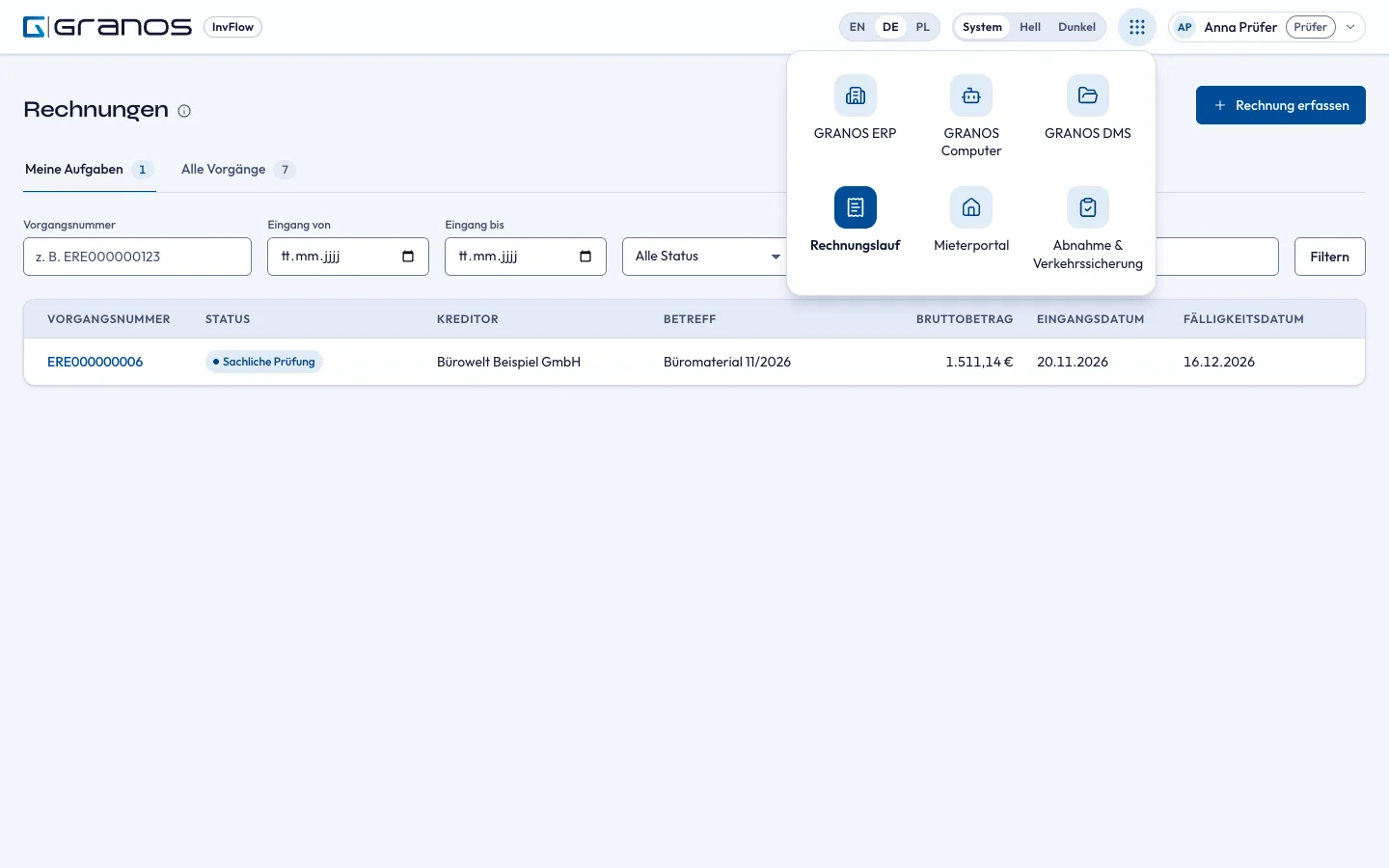
Shows the incoming invoices in invoice routing with the suite's app switcher. It matters because every invoice visibly follows its review and approval path. Demo data. Rechnungslauf
Incoming invoices are scanned or received electronically, created in the ERP, approved under the four-eyes principle and posted – with an electronic routing slip in the DMS.
- Scan and e-invoice
- Approval stages
- Posting in the ERP
- Document managementAvailable
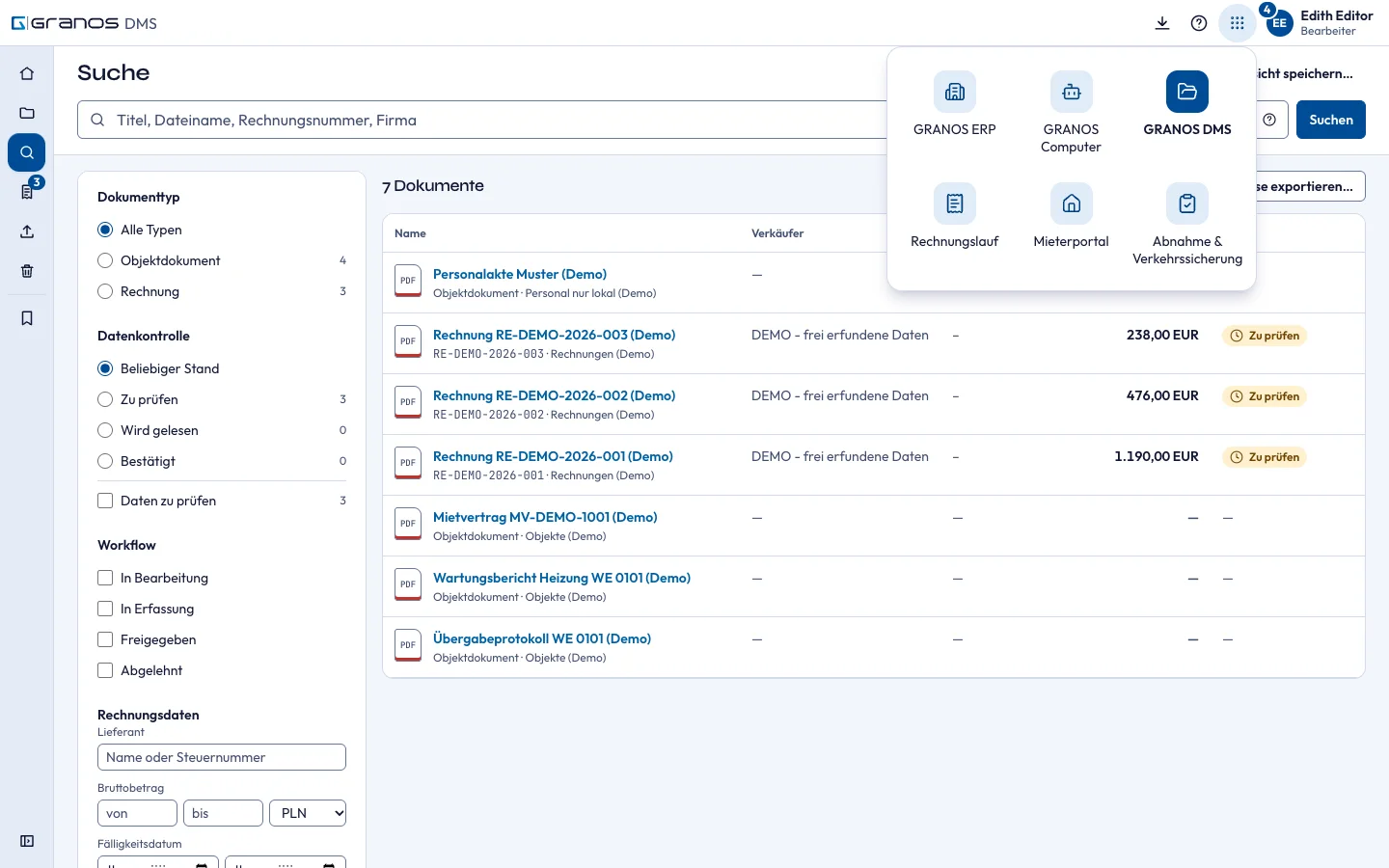
Shows the GRANOS DMS search with filters. It matters because documents and contracts are found in seconds instead of searched for in folders. Demo documents. DMS
Archive electronic documents long-term and unalterably, file them under attributes you choose and link them to the business process.
- Free attributes and search
- Process coupling
- Permissions and audit trail


Add-on applications
Specialist solutions that extend the ERP.
- BIS.accounting · by BISTECAvailable
Service charge and heating cost billing
BIS.accounting is the company-specific billing module with service: it brings together all billing-relevant data for a company-specific billing process.
- All consumption-based and other service charge types – billed together or individually
- All billing-relevant data in one place
- Integrated with GRANOS ERP
- Billing module with service
- New build and modernisation
Investment control
Financial and schedule planning and control of new-build and modernisation projects – with risks and priorities in view.
- Financial and schedule planning
- Priorities and risks
- Early warning
Risk management
Capture, assess and track company risks centrally – with thresholds, traffic lights and risk reports.
- Strategic, market, default and compliance risks
- Traffic lights and thresholds
- Cost allocation
Internal cost allocation
Secondary cost allocation based on rate-valued quantities – workflow-based, automatic and immediately traceable.
- Providing and receiving cost centres
- Results in one click
- Waste billing by originator
Mülldigital
Drops at transponder-controlled waste locks are assigned to each originator and billed.
- Data from waste locks
- Billing per household
- Monthly consumption information
UVIdigital
Match consumption data from the metering provider to current tenancies and inform tenants by e-post or e-mail – or hand tenant data to the metering provider per the HeiWaKo specification.
- Export from the ERP per cut-off date
- Delivery as PDF
AI and reporting
GRANOS Computer and Reporting.plus – AI optional and secured in the EU.
- AI workplace for the housing industryAvailable
GRANOS Computer
With GRANOS Computer you build add-on applications, create AI reports and operate your software via MCP – on anonymised data, with approvals, an audit log and hosting in the EU.
- Build apps – on an anonymised ERP copy, testable right away
- AI reports and dynamic report pages, standardised with Reporting.plus
- Operate all software via MCP: external MCP servers and the connected GRANOS systems
- Reporting · product of DomConsultAvailable
Reporting.plus
Reporting.plus connects via MCP to GRANOS ERP and other data sources and turns them into secured, repeatable standard reports – operated and created with GRANOS Computer.
- Data from GRANOS ERP, SQL databases, Excel or SAP in one data view
- Standard reports: service charge controlling, GdW key figures, business plan, investment control, risk report
- Repeatable and secured – no data warehouse and no data migration
- Create new reports in conversation with GRANOS Computer
Every product in this overview runs under the GRANOS brand and belongs to DomConsult – exceptions are marked on the card: Reporting.plus is a separate brand of DomConsult, BIS.accounting comes from BISTEC.
AI is not a must with GRANOS. Every product works without AI. If you use it, you decide which data it may see – processing happens in the EU.
GRANOS Computer
GRANOS Computer is a workplace where people and agents work together. It builds and changes software and workflows, connects to the systems you already run through MCP connectors, and operates them – the ERP, mailboxes, documents. Important actions wait for a person, and every step is logged.
- Build – software and workflows
- Connect – MCP connectors (Link)
- Operate – ERP, mail and documents
- Human approval, audit log, EU hosting
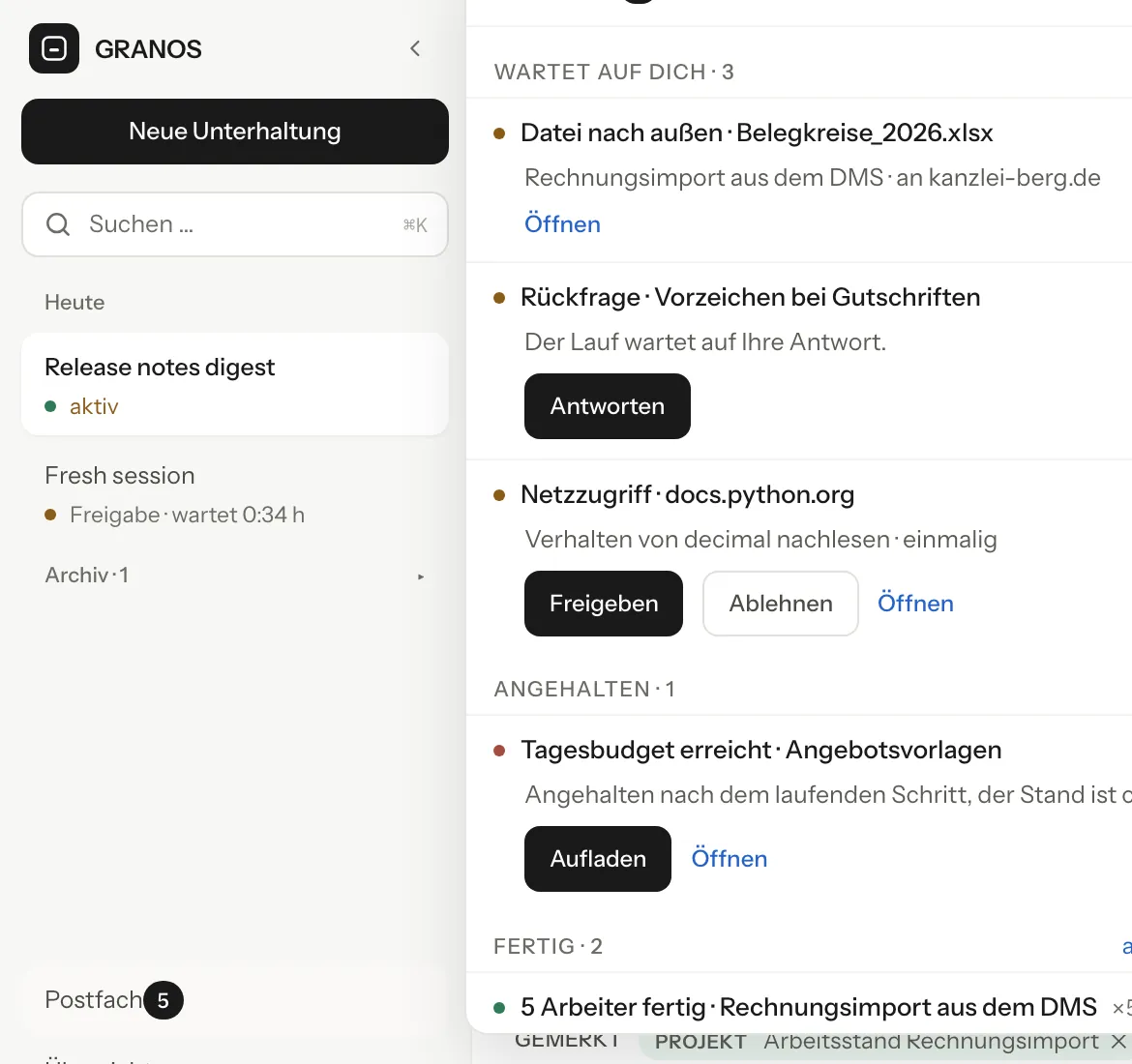
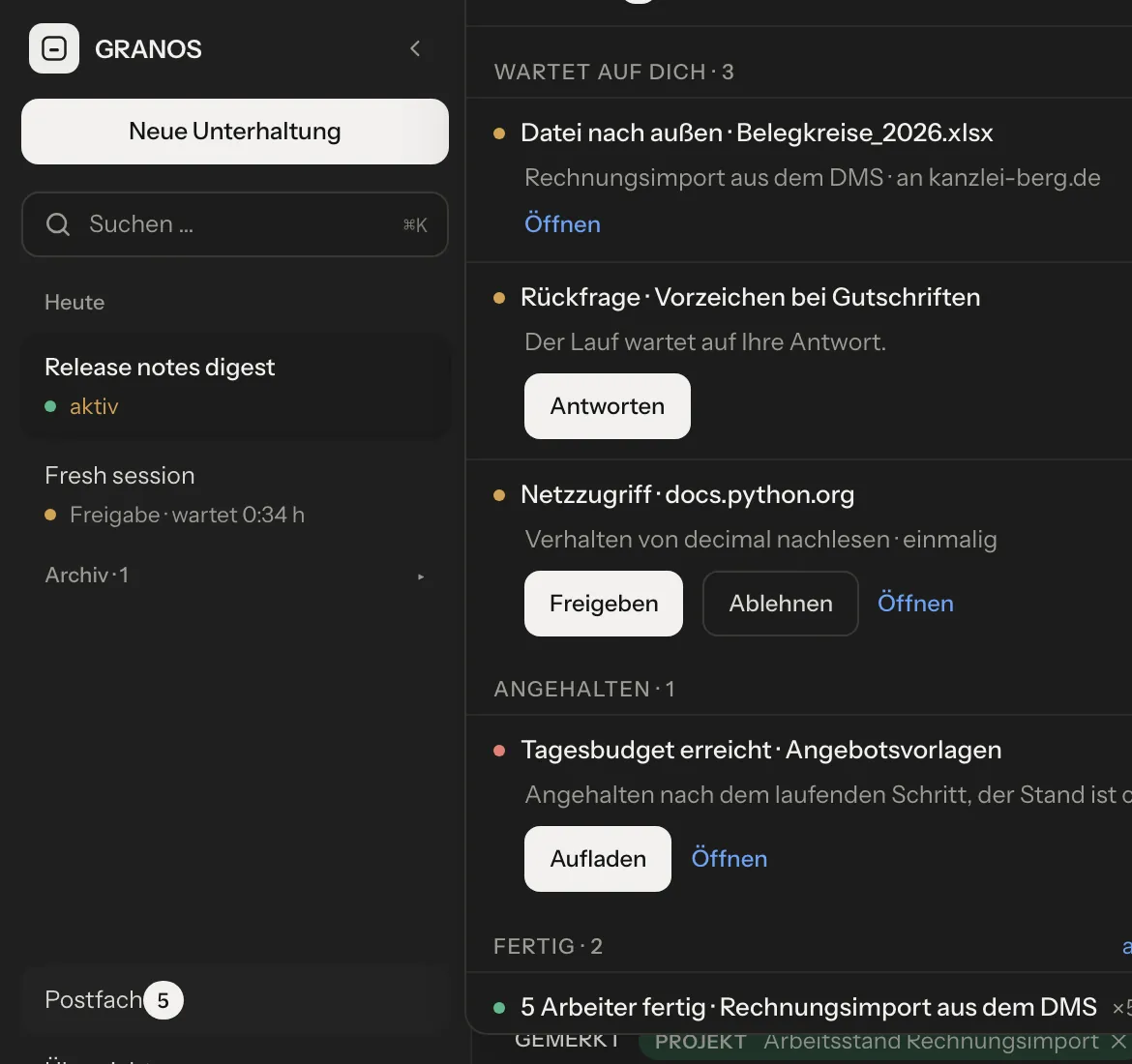
GRANOS Computer: what the AI has prepared waits in the inbox for your approval. Real interface, test data. GRANOS ERP
Portfolio, tenants, rents, service charges, finance, maintenance and the portals for tenants and owners – process-led, not siloed. GRANOS ERP is the source of truth that GRANOS Computer, the field apps and the finance workflows build on.
- Commercial property management
- Financial accounting
- Technical property management
- Cooperatives and condominiums
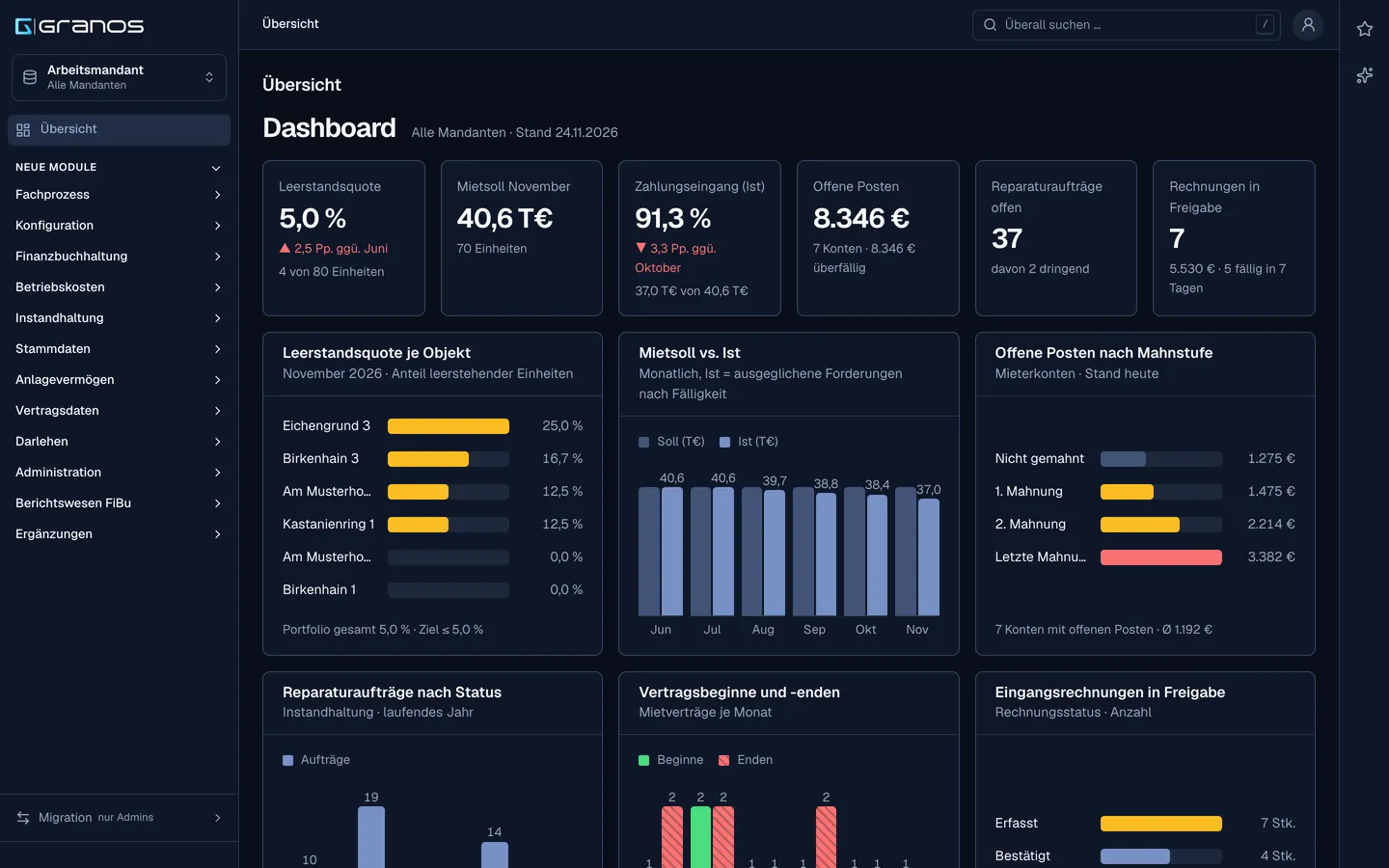
GRANOS ERP with all modules on the left. Real application, invented data. Invoice flow
Incoming invoices are scanned or received electronically, created in the ERP automatically, matched to orders and contracts, routed through approval stages and posted to financial accounting. No paper travels through the building.
- Capture
- Matching
- Approval stages
- Posting
All incoming invoices with their status at a glance. Real application, demo data. DMS
The document management system archives electronic documents of any format unalterably and long-term, files them under attributes you choose and links them to the business process they belong to – with permissions and an audit trail built in.
- Audit-proof archive
- Free attributes
- Process coupling
- Keyword search
Find documents with filters. Real application, demo documents. Order portal
Housing companies, tradespeople and other service partners handle orders from assignment to service invoicing online. The whole process is transparent, error rates drop and cycle times shrink – fully paperless.
- Paperless from start to finish
- Tradespeople-friendly
- Coupled to the ERP, not locked to one
- Audit-proof
GRANOS Platform
Foundation handles identity, tenancy, policy and audit once – for the ERP, GRANOS Computer, the portals and the apps. Link connects the systems you already run.
- Identity
- Tenancy
- Policy
- Audit
GRANOS Mobile
Hand over units, record defects, read meters and complete safety inspections on a phone or tablet. Everything syncs back to the ERP, with photos, signatures and a PDF protocol.
- Unit handover
- Defect reports
- Meter readings
- Safety inspections


See the suite on your own portfolio data.
A 45-minute walkthrough with a housing specialist – in English, German or Polish.